If you want to follow closely the development of Google’s browser for the Macintosh or you just want to be up to date with your Chromium version the url to go is the “LATEST” directory at http://build.chromium.org/buildbot/continuous/mac/LATEST/
This directory always offers the freshest automated build from the current day (which sometimes includes more than twenty builds).
If you consider this tedious and you don’t want to manually download, unzip and replace your copy of the browser in /Application there are two handy scripts that can help you automatically doing that.
The first is Chromium Updater, an AppleScript by Dom Barnes, now at version 0.2.
The second is the similarly named Chromium Updater, a faceless app done with Automator, provided by a developer working for TechCrunch.
“Apple strongly cautions against installing any software that hacks the iPhone OS. It is also important to note that unauthorized modification of the iPhone OS is a violation of the iPhone end-user license agreement and because of this, Apple may deny service for an iPhone or iPod touch that has installed any unauthorized software.”
– Unauthorized modification of iPhone OS has been a major source of instability, disruption of services, and other issues
[Offered -for now- without comment]
“I find this draft to be quite annoying. It doesn’t have anything to do with HTTP or live, or really even streaming — the title is
just from the marketing term that Apple has chosen to describe this concept in general. […] I don’t like it when the IETF is abused for marketing purposes.”
– Roy T. Fielding on Apple trying to turn ‘HTTP Live Streaming’ into an Internet protocol standard
p.s. In case you are wondering who Mr. Fielding is, a Wikipedia page lists him as
one of the principal authors of the HTTP specification (RFC 2616)
and he also
has been heavily involved in the development of HTML and Uniform Resource Identifiers, was a co-founder of the Apache HTTP Server project
Also known as a short recap of useful info prior to recklessly upgrading my iPhone to the 3.0 OS.
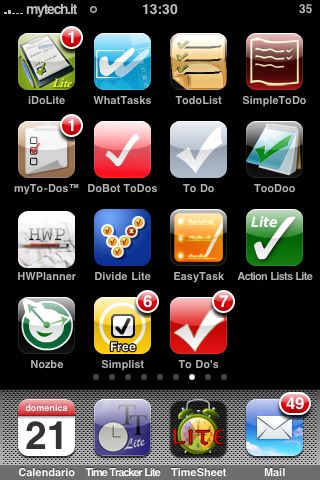 Most of these applications are free or are in a ‘lite’ edition, although some may be obtainable only through the Cydia distribution system, which requires the jailbreaking you iPhone (or iPod touch).
To-do list apps:
iDoLite
WhatTasks
TodoList
SimpleToDo
myTo-Dos
DoBot ToDos
To Do
TooDoo
HPlanner (for education)
Divide Lite
EasyTask
To Do’s
GTD-oriented to-do list apps:
Simplist
Action Lists Lite
Nozbe (needs an account on www.nozbe.com )
Calendaring apps:
Calendar (Apple’s MobileCalendar)
e-mail apps:
Mail (Apple’s MobileMail)
Bonus:
Time tracking apps:
Time Tracker Lite
TimeSheet
Apple – Mac OS X Snow Leopard –
General requirements: Mac computer with an Intel processor
Apple – Mac OS X Snow Leopard – Technical specifications
:(
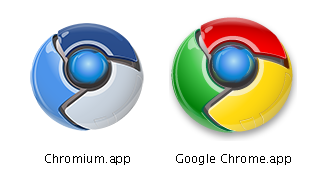
A sinistra Chromium (versione per developer) e a destra Google Chrome (anch’essa per developer).
Per i dettagli e qualche impressione veloce su Chrome vedere l’articolo appena pubblicato su Mytech.it
p.s. Developers, developers, developers, developers…
